Table of Contents
Voter ID Card Status
You can check the update correction status of voter id card (also called EPIC) online by using reference number. This is very useful if you applied for changes like name spelling fix, address update, photo change, date of birth correction, or anything else. The Election Commission of India (ECI) makes it easy through their official website. No need to go anywhere – do it from your phone or computer at home.
Why Voter ID Correction Matters and What is Correction Status?
Voter ID card is your proof to vote in elections. It has your name, photo, address, age, etc. Sometimes mistakes happen – maybe your name is spelled wrong, or you moved to a new house (like from old Meerut address to new one), or photo is old. To fix it, you fill Form 8 online or offline. After submitting, you get a unique Reference ID. Then you need to check status to see if it’s approved, rejected, or still pending. If not checked, you might miss voting
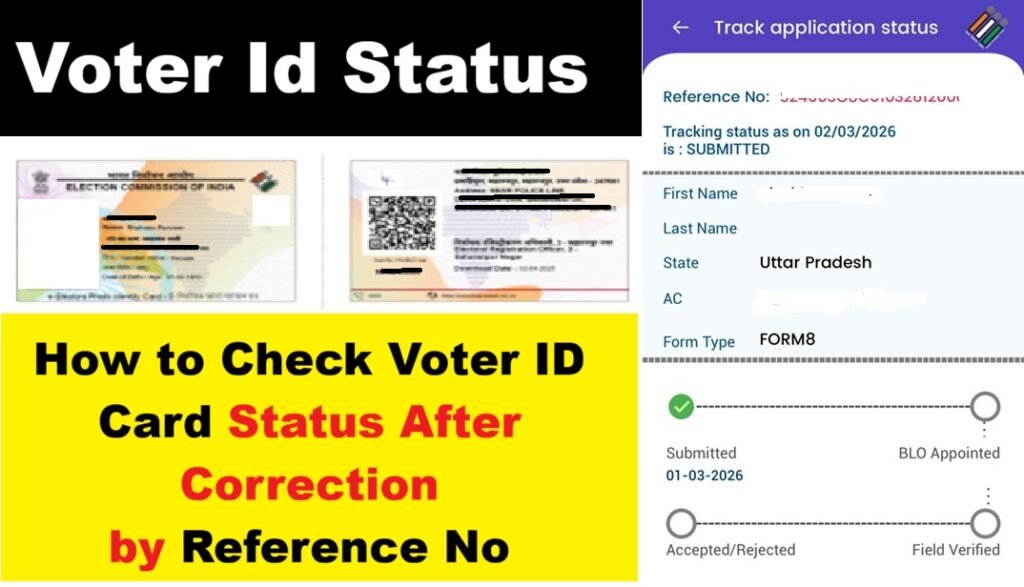
What is Voter ID Card?
he Voter ID card, officially called the Electors Photo Identity Card (EPIC), is given by the Election Commission of India (ECI) to every Indian citizen who is 18 years or older. It is a photo identity document that includes your name, photograph, address, age, relative’s name (like father, mother, or husband), and a unique 10-digit EPIC number. The main purpose of this card is to allow you to vote in elections – whether it’s Lok Sabha, Vidhan Sabha, Panchayat, or local polls. You can show this card at the polling booth to cast your vote. It is completely free, valid for life, and now comes in a strong plastic (PVC) material.
First, Apply for Correction (If Not Done Yet)
Before checking status, make sure you applied.
- First thing: Go to the official website voters.eci.gov.in in your browser.
- On the home page, you will see options like “Form 8” for correction – click on it.
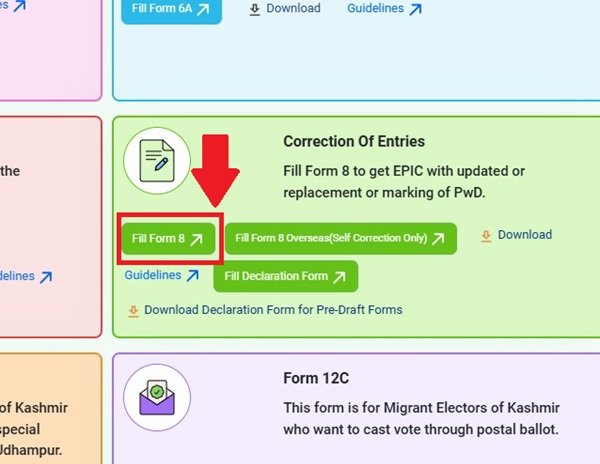
- Enter your EPIC number (if you have it) or mobile number to start.
- Fill the form carefully: Select what you want to correct (name, address, photo, etc.), upload new photo and documents like Aadhaar, passport, ration card.
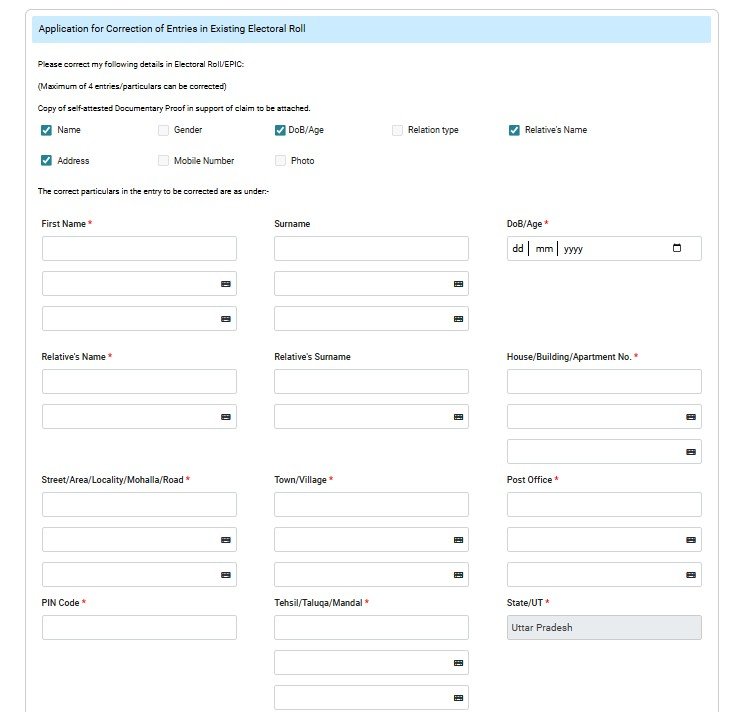
- Submit the form. Right after submit, you get a Reference ID on screen, and also by SMS/email. Note it down or take screenshot – this ID is very important!
Check Voter ID Card Correction Status Online?
- First of all, open your phone or computer browser and go to the official website: voters.eci.gov.in.
- The home page will open. Scroll down a little or look for the section called “Track Application Status” or “Track Your Application” – click on that.
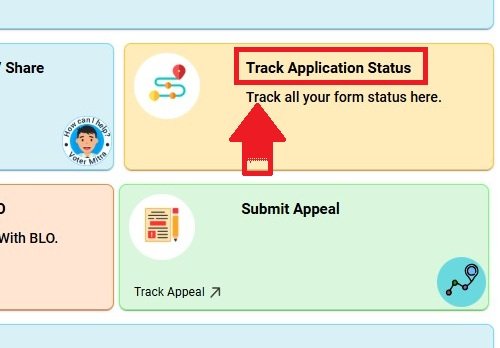
- Now a new page opens. Here you have to enter your Reference Number (the one you got after submitting Form 8).
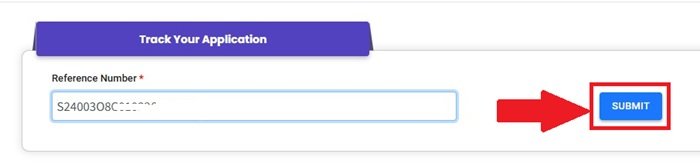
- After that clcik on”Submit” button.
- The status will appear immediately on the screen. It shows things like:
- Submitted: Form reached.
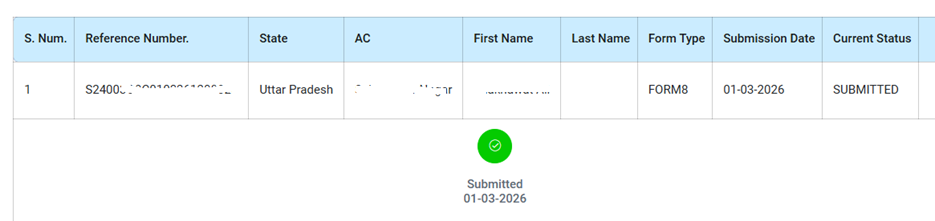
- BLO Appointed: Your local Booth Level Officer will come to verify.
- Field Verification Done: Check complete.
- Accepted: Correction approved, new details updated soon.
- Rejected: Something wrong (reason shown), apply again.
Read: How to Check My Name in Voter List
Voter ID Card Status Check By Using Voter Helpline Mobile App
- First, open Play Store (Android) or App Store (iPhone).
- Search “Voter Helpline” – download the official one by Election Commission.
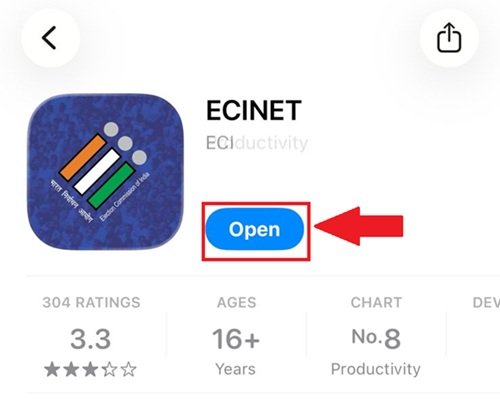
- Open the app and register with your mobile number (OTP comes).
- After login, go to “Track Application Status”.
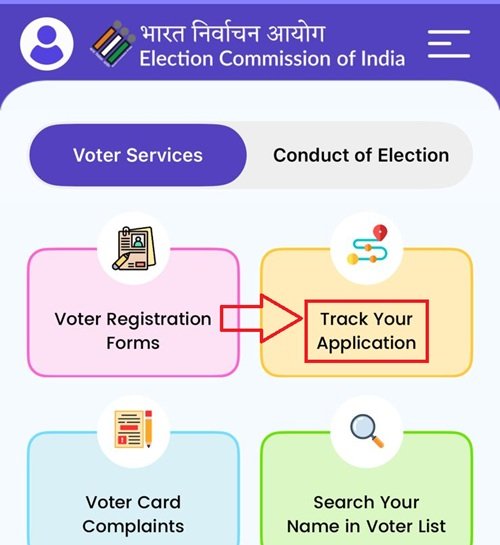
- Enter your Reference ID and submit.
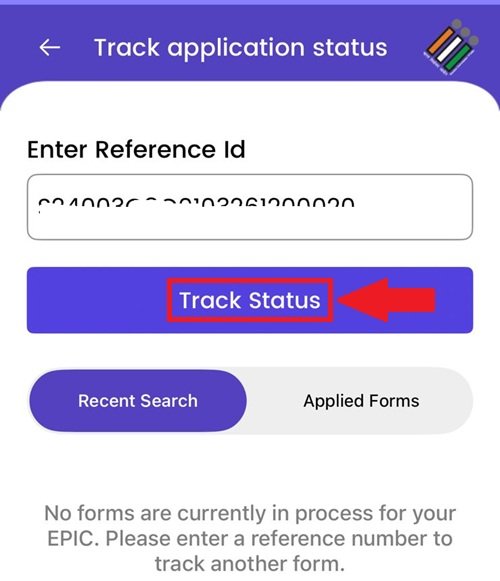
- Your voter ID status will now be displayed.
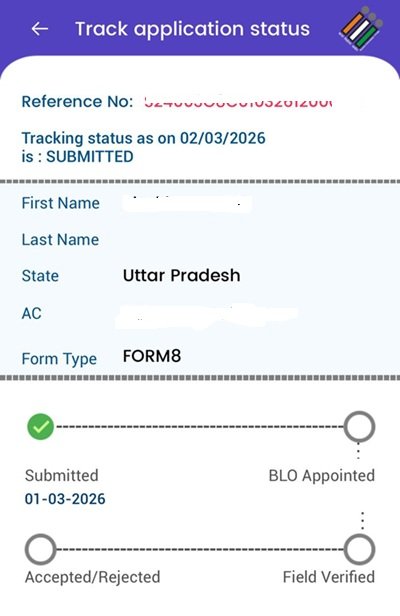
- You’ll see the options for Submitted, BLO Appointed, Accepted, and Rejected. When all four options turn green, your voter correction will be complete.
What If You Lost Reference ID?
- Go back to voters.eci.gov.in.
- Click “Login” on top.
- Enter your mobile number, get OTP, login.
- Inside dashboard, you see list of all your applications (Form 6, 7, 8 etc.).
- Find your correction Form 8 and check status there.
- Or enter EPIC number to search.
Documents Required For Voter ID Card
- Recent Passport-Size Photograph
- One recent color photo (4.5 cm x 3.5 cm).
- Frontal view, full face, white background, no cap/sunglasses.
- Unsigned (no signature on the photo).
- This is mandatory – upload or paste it in the form.
- Proof of Age / Date of Birth (Any one – to prove you’re 18+ years old)
- Birth certificate (from Municipal Authority, Registrar of Births & Deaths, or school).
- Aadhaar Card.
- PAN Card.
- Driving License.
- Indian Passport.
- Class 10 (or Class 8/5) marksheet/certificate if it shows date of birth.
- Baptism certificate (in some cases).
- For young applicants (18-21 years), proof is stricter; otherwise, self-declaration often works.
- Proof of Address / Residence (Any one – to prove you live at the given address)
- Aadhaar Card.
- Latest Water / Electricity / Gas / Telephone bill (at least 1 year old in some cases).
- Bank/Post Office/Kisan current passbook.
- Ration Card.
- Indian Passport.
- Driving License.
- Registered Rent Agreement / Lease Deed (for tenants).
- Land ownership records (like Kisan Bahi).
- Income Tax Return / Assessment Order.
- If homeless or special cases, other options are allowed.
- Proof of Identity (Often overlaps with age/address proofs)
- Aadhaar Card (most common and easiest).
- PAN Card.
- Passport.
- Driving License.
- Ration Card (with photo).
- Bank passbook with photo.
Read More: Voter ID Card Address Change Application Form 8A Online
Other Ways If Online Not Working
- Call toll-free helpline 1950 (8 AM to 8 PM) – tell operator your Reference ID, they tell status.
- Meet your local BLO (Booth Level Officer) – number in voter list or call 1950 to get.
- Email complaints@eci.gov.in with details.
Below is the list of states whose voter list status can be checked.
| Andhra Pradesh | Madhya Pradesh |
| Arunachal Pradesh | Maharashtra |
| Assam | Manipur |
| Bihar | Meghalaya |
| Chhattisgarh | Mizoram |
| Goa | Nagaland |
| Gujarat | Odisha |
| Haryana | Punjab |
| Himachal Pradesh | Rajasthan |
| Jharkhand | Sikkim |
| Karnataka | Tamil Nadu |
| Kerala | Telangana |
| Uttar Pradesh | Tripura |
| Uttarakhand | West Bengal |
FAQs
Where can I check my Voter ID correction status?
Go to the official website: voters.eci.gov.in. anc click on “Track Application Status”.
What do I need to check the status?
You just need the Reference ID you got when you submitted Form 8. (It comes by SMS or email.)
How long does it take to get the status update?
Usually 15 to 45 days. Sometimes faster, sometimes slower depending on your area.
What do the different status words mean?
Submitted = Form reached.
BLO Appointed = Officer will come to check.
Accepted = Correction done, good news!
Rejected = Something wrong, apply again.
I lost my Reference ID. What should I do?
Firsts visit the official website and click on “Login” button . After taht use your mobile number for OTP. Then you will see all your applications there.
Is there a phone number if I need help?
Yes! Call toll-free 1950 any time between 8 AM to 8 PM. Tell them your Reference ID, they will tell you the status.