Table of Contents
Voter ID Card Correction
If you want to make voter id card correction online and your name is spelled incorrectly, your date of birth is incorrect, or your relative’s name is incorrect, or you want to change your date of birth or the photo on your Voter ID, then you are at the right place. Today, through this article, we will provide you with complete information on how you can make corrections to your Voter ID card (EPIC Card) from home using your mobile phone And through this article, we will also give you the list of documents required for making corrections in the Voter ID card. For this, you will have to read this article carefully until the end.
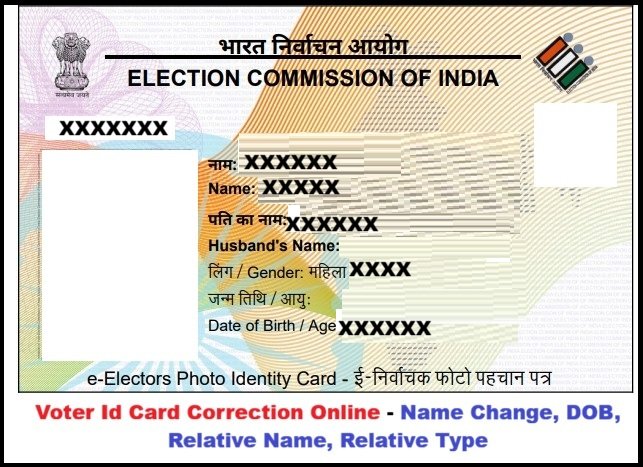
What is a Voter ID Card (EPIC Card)?
A Voter ID Card, also called EPIC Card (Electors Photo Identity Card), is an official document given by the Election Commission of India. It has your photo, name, address, age, and a unique 10-digit number called EPIC number. This card proves that you are a registered voter and you can use it to vote in elections. It is also accepted as proof of identity and address for many government works, bank accounts, and other things.
Documents Required for Voter ID Correction Online
The ECI requires self-attested documentary proof only for the specific field you are correcting. Common accepted documents include:
- Name Correction
- Aadhaar card
- PAN card
- Passport
- Driving license
- Birth certificate
- School marksheet (Class 10 or earlier, if it shows name)
- Gazette notification (if name legally changed)
- Any other government-issued ID with correct name
- Date of Birth (DOB) / Age Correction
- Birth certificate (from Municipal Corporation, Registrar of Births & Deaths, or hospital)
- School marksheet/certificate (Class 10, 8, or 5 if it mentions DOB)
- Passport
- PAN card
- Driving license
- Aadhaar card
- Declaration by parents (in prescribed format, if not educated till Class 10)
- Certificate from Sarpanch/Municipal member (if parents not alive and low education) Note: Proof is mandatory only if age is between 18-21 years; otherwise, self-declaration may be accepted.
- Relative’s Name (Father/Mother/Husband) or Relation Type Correction
- Aadhaar card (showing correct relative)
- Birth certificate
- School leaving certificate/marksheet
- Passport
- Marriage certificate (for husband’s name)
- Ration card or family document showing relation
- Any government ID/proof linking you to the correct relative
- Address Correction (within the same constituency)
- Aadhaar card
- Utility bill (electricity, water, gas – not older than 1 year)
- Bank/post office passbook
- Passport
- Rent agreement/lease deed (registered, for tenants)
- Registered sale deed (for own house)
- Property tax receipt
- Any other government document showing new address (in your name or parent’s/spouse/child if already enrolled at same address)
- Photo Correction (wrong or old photo)
- No extra document needed beyond pasting/uploading a new recent passport-size photo.
- Tick “Photo” in Form 8 and provide the fresh photo.
How to Voter ID Correction Online for Name, DOB, Photo & Relative?
- To make changes in Voter ID card online, first of all you have to visit its official website.
- After coming to the portal, first you have to sign up on the portal, click on the “Sign Up” option in the top right corner.
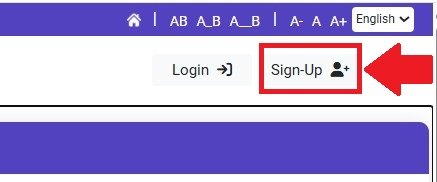
- To “Sign Up”, enter your mobile number, email and captcha code and click on the continue option.
- After signing up, you will have to login to the portal. For this, click on the login option and enter your mobile number and captcha code and click on the “Request OTP” option.
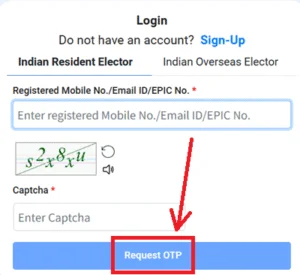
- After that you will receive an OTP on your mobile number. You need to enter this OTP to verify it.
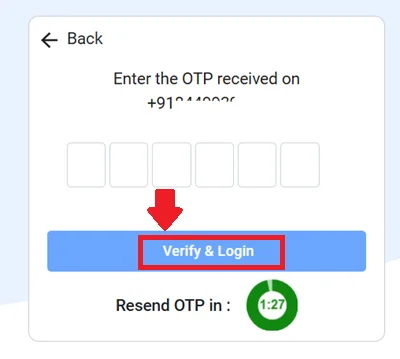
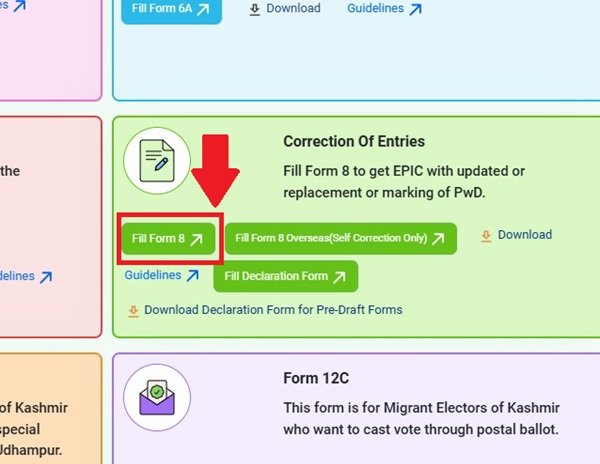
- Now you have to click on the option of “Fill Form 8” in the Correction Of Entries box.
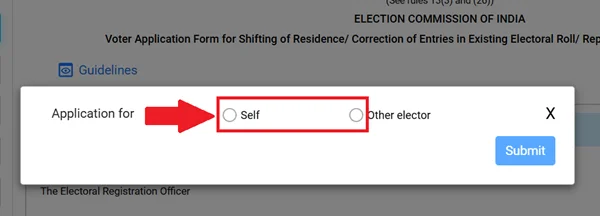
- Now if you want to make corrections in your voter ID card then select Self, if you want to make corrections in someone else’s ID then select the option of other elector.
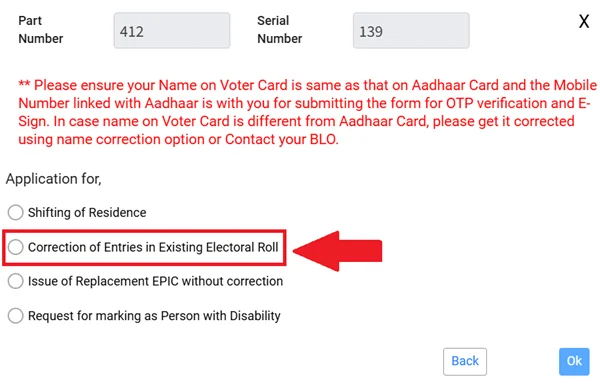
- For correction in Voter ID card, you have to select the second option (Correction of entries in existing electoral roll) and click on “OK” button.
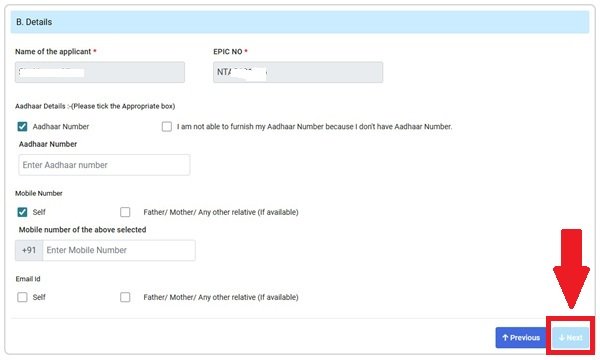
- Now you have to enter your Aadhar card number and email (if any) and click on the “Next” button.
- Now select any correction you want to make in your voter card like name, date of birth, relative’s name, relation, photo, address (remember, you can make corrections in only 4 things at a time)
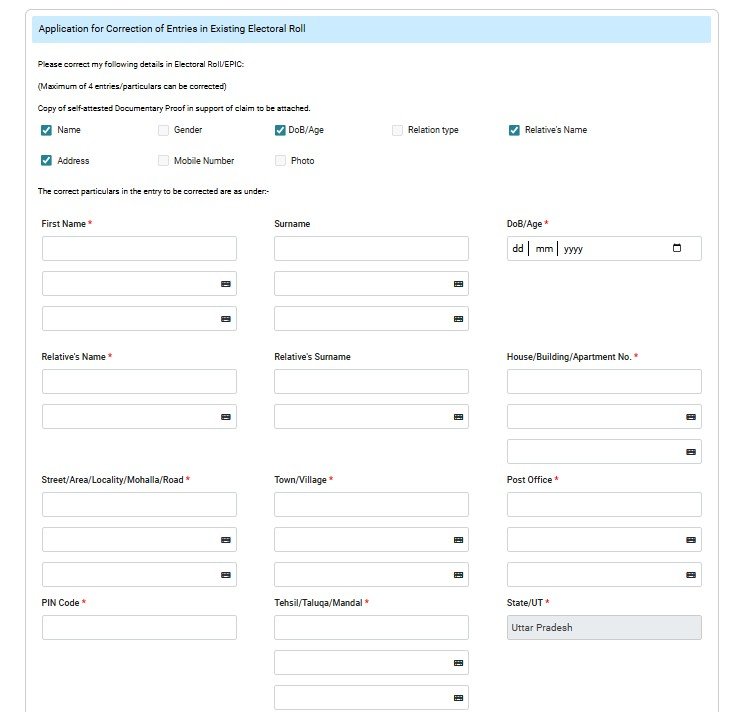
- Now enter correct name, date of birth, relative name, address etc.
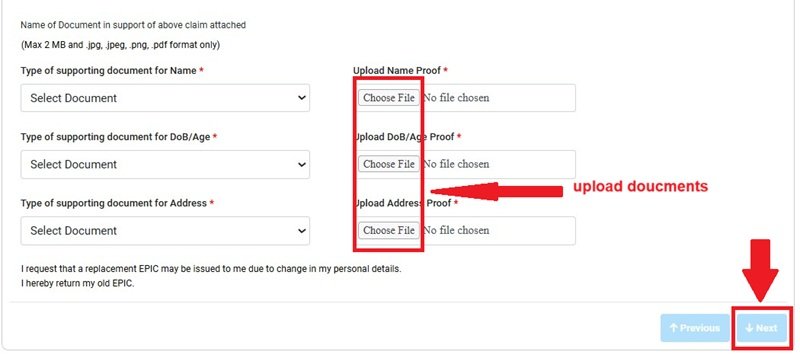
- After that upload the documents through which you want to make corrections.
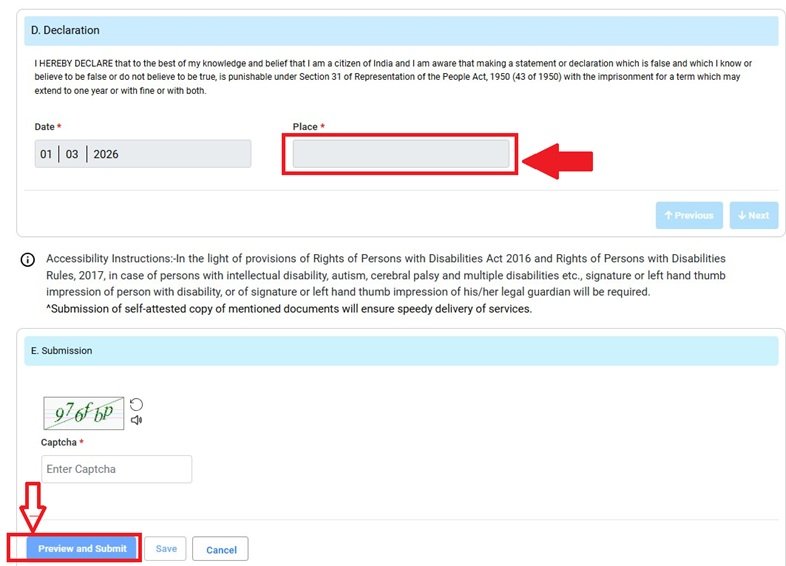
Now, you need to enter the name of your area in the “Place in Declaration” option, enter the captcha code below, and click the “Review and Submit” button.
- As soon as you click the “Submit” button, another page will open. On this page, you need to enter your Aadhaar number and click on “OTP.” An OTP will be sent to your mobile number linked to your Aadhaar card.
- You need to verify this OTP. Once this OTP is verified, your voter online correction form will be completed.
- Now a reference number will be sent to your mobile number. Through this reference number, you can track the status of your Voter ID card online.
How to Check/Track Voter ID Card Correction Status Online?
- To check Voter ID card correction online status, first of all you have to visit its official website.
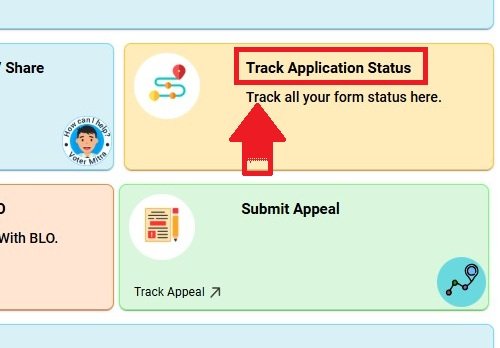
- Now you have to click on the option of Track Application Status
- After this, in the page that opens in front of you, you have to enter your reference number which you have received through SMS on your mobile number and click on submit button
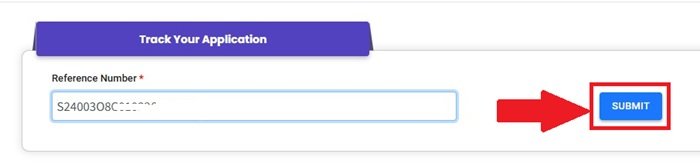
- Now the status of your voter card will be shown online.
Read More Related:
- How to Check My Name in Voter List
- Voter Id Card Address Change Online
- Voter Id Card Download With Photo
How to Voter Id Card Correction Offline?
Visit any of these places to get the physical Form 8 (it’s free) or You can download form from here –
Download Voter Correction Form 8 in English
Download Voter Correction Form 8 in Hindi
- Your local Booth Level Officer (BLO) easiest and most common option (BLOs are usually local teachers or government employees assigned to your polling booth/area).
- Nearest Electoral Registration Office (ERO) or Assistant Electoral Registration Office (AERO) and typically at the Tehsil/Taluka office or District Election Office.
- Common Service Centres (CSC) in some areas also help with forms.
Fill Form 8 Carefully
- Address it to the Electoral Registration Officer of your constituency.
- Provide your current details as per the electoral roll (name, EPIC number, part number & serial number in the roll find these by searching your name on voters.eci.gov.in).
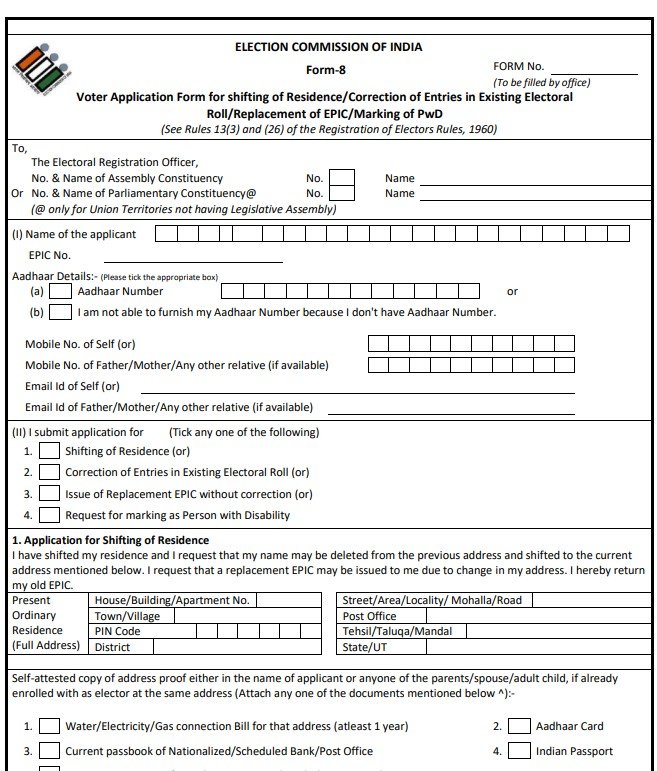
- Tick the box for “Correction of Entries in Existing Electoral Roll”.
- Specify the exact fields to correct (maximum 4 entries/particulars allowed per form) and write the correct details.
- If you want a new/replacement EPIC card after correction, mention it (you may need to surrender the old card later).
- Attach a recent passport-size photograph if photo correction is needed (good quality, white background).
- Sign the form.
Attach Supporting Documents Attach self-attested photocopies (originals may be needed for verification):
- Proof for the correction you’re claiming (e.g., Aadhaar card, passport, driving license, PAN card, birth certificate for DOB, marriage certificate for name change after marriage, etc.).
- For name/DOB corrections, specific proofs like school marksheets, birth certificate, or Aadhaar are often required.
- Self-attested copy of your existing Voter ID (both sides) if you have it.
- Mobile number is optional but helpful for updates.
Submit the Form
- Hand it over personally (or through BLO) to your BLO, ERO, or designated election office.
- BLOs often collect forms during field visits and forward them.
- Get an acknowledgement receipt or reference number for tracking.
Verification and Processing
- The BLO/ERO will verify your details (may include a field visit or asking you to appear in person).
- Processing usually takes a few weeks to a couple of months, depending on your state and workload.
- If approved, corrections are updated in the electoral roll, and a new EPIC (with updated details) is issued (often free; you may need to return the old card).
- You can download the digital version (e-EPIC) later via voters.eci.gov.in once updated.
FAQs
How can I correct mistakes in my Voter ID card?
Submit Form 8 through voters.eci.gov.in or the Voter Helpline mobile app. The process is completely free.
What documents are required for Voter ID correction?
For name, DOB, or gender changes, attach proof like Aadhaar, PAN, or passport. For address correction, provide address proof such as electricity bill, ration card, or bank statement.
Can Voter ID correction be done completely online?
Yes, most corrections are fully online via the NVSP portal or Voter Helpline app. In some cases, a Booth Level Officer (BLO) may visit for verification.
How much time does it take and is there any fee?
It usually takes 15–30 days depending on verification. The entire process is totally free — no charges at all.
What happens after the correction is approved?
Your electoral roll entry gets updated, you receive a new EPIC with the same number, and you can download the digital e-EPIC from the portal.