Voter list download at the voters.eci.gov.in portal. The ECI Voter’s Service Portal (मतदाता सेवा पोर्टल) officially known as voters.eci.gov.in, nvsp portal is the central hub for all things related to voter services. Launched by the Election Commission of India (ECI), it allows users to search, download, login, voter id check and manage electoral rolls (voters.eci govt.in) without visiting a government office.
What is Voter ID Card (EPIC Card)
A Voter ID card (EPIC – Electors Photo Identity Card) is the most powerful document in a democracy. It is your proof that you are a voter of India. EPIC stands for Electors Photo Identity Card. It has your photo, name, address, age, and a special number that proves you are a registered voter. You get this card when you are 18 years or older and apply to vote in elections.
Required Document for New Voter ID Card
Proof of Birth or Age – Any one of these:
- Birth certificate
- School leaving certificate / mark sheet (Class 10 or above)
- Passport
- PAN card
Proof of address – Any one of these:
- Aadhaar card
- Passport
- Driving licence
- Bank passbook / post office passbook
- Ration card
- Electricity bill, water bill, or telephone bill
Proof of identity – Any one of these:
- Aadhaar card
- PAN card
- Passport
- Driving licence
- Bank passbook with photo
- Government-issued photo ID
- Recent passport-size photo (usually uploaded online or attached in offline form) If applicable:
- A self-declaration or declaration by parents/guardian (for age proof in some cases)
How to Download Voter List (By State Wise)
- First of all you have to visit the official website of Voter Id which is voters.eci.gov.in
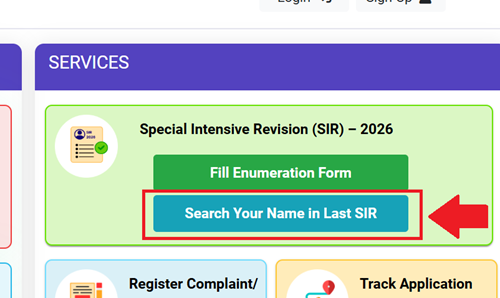
- Now you have to click on “Search Your Name in Last SIR” in service section.
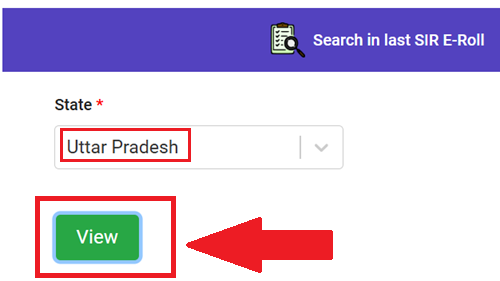
- After that select your state name and click on view button.
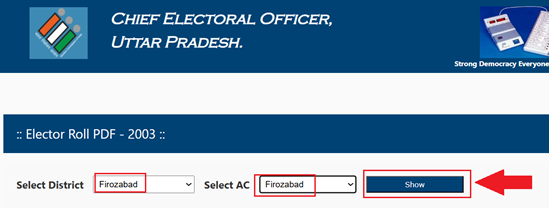
- Now select your District & AC (assembly constituency) then click on “Show” button
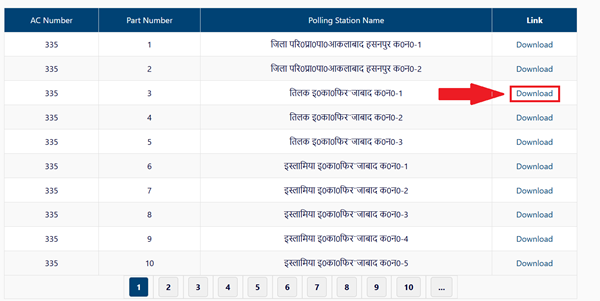
- After this, you have to click on the “Download” option in front of the Polling Station Name where you used to cast your vote.
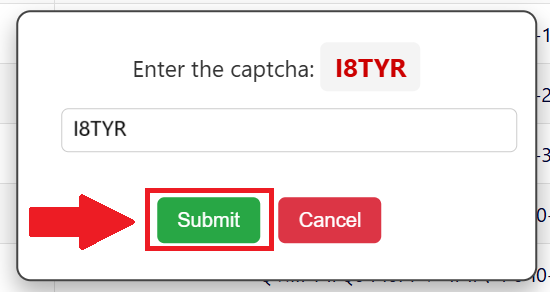
- After this a page will open in front of you, in which you have to enter the captcha code and click on the “Submit” button.
- Now, as soon as you click on the submit option, the 2003 Sir Voter List for your area will open.
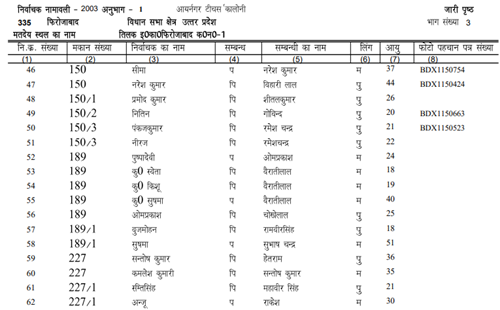
- You can download this list in PDF format by clicking on the download option.
- Open the PDF in Adobe Reader. Print if needed for BLO submission.
How to Apply for New Voter ID Card?
- First of all you have to visit the official website.
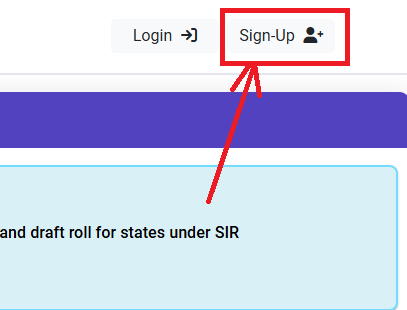
- If you are visiting the voter website for the first time, you will need to sign up.
- To sign up, click on the “Sign Up” option.
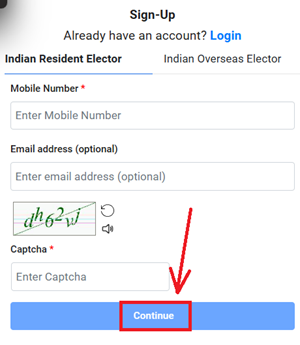
- On the page that opens, enter your mobile number and email address, then enter the captcha code and click on the “Continue” option.
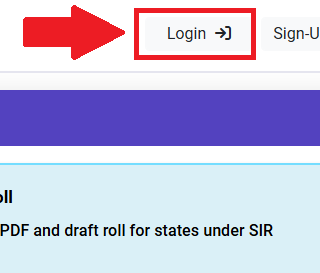
- After signing up, you will receive your login ID and password. You will need to log in to the portal using this login ID and password. To log in, click on the “Login” option.
- When you click on the login button, a page will open where you need to enter your mobile number and the captcha code and click on “Request OTP” button.
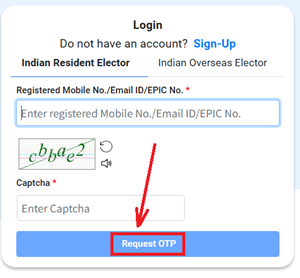
- An OTP (One-Time Password) will then be sent to your mobile number. You need to enter this OTP and verify it.
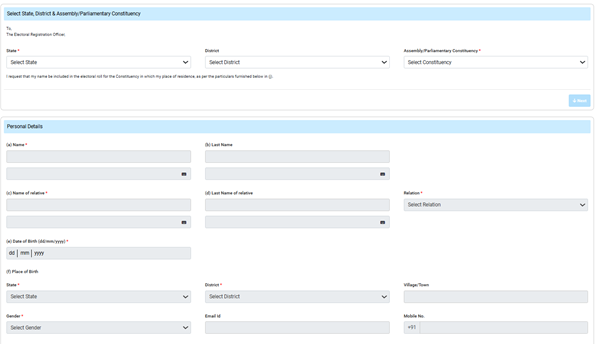
- After login, select “FIll Form 6A” under the New Voter Registration (NRI) section.
Fill your basic details:
- Enter your full name, date of birth, gender, mobile number, email (optional).
- Choose your state, district, assembly constituency, and polling area (you can search by pin code or address).
Upload Required things:
- Your recent passport-size photo (clear, white background).
- Proof of age (like Class 10 marksheet, birth certificate, or Aadhaar).
- Proof of address
- Submit the form and after that you will get a reference number (keep it safe to track status)
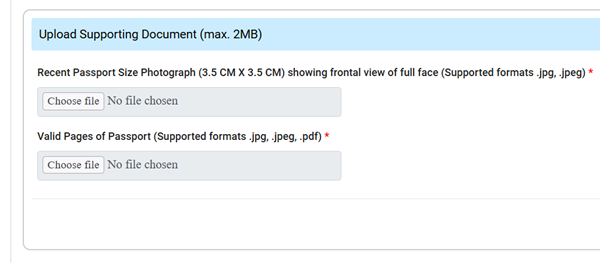
- Finally, after filling out the entire form, you need to enter the captcha code and then click on the submit button. As soon as you click the submit button, your new voter ID form will be submitted online.
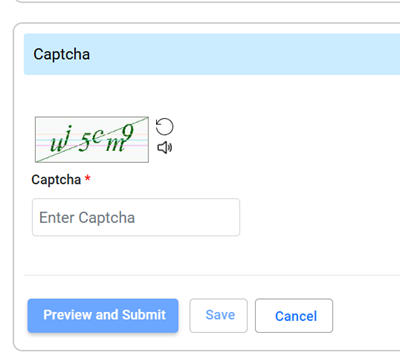
- After this, you will receive a reference number. You should keep this reference number safe, as you can use it to check your voter ID status online.
After Submission the voter online form
- Booth Level Officer (BLO) will visit your home to verify (usually in 15–30 days).
- If everything is okay, your Voter ID will be ready
How to Track Voter ID Status Online?
- First of all you have to go to the official website.
- After that click on “Track Application Status” (look on the homepage or under Services menu)
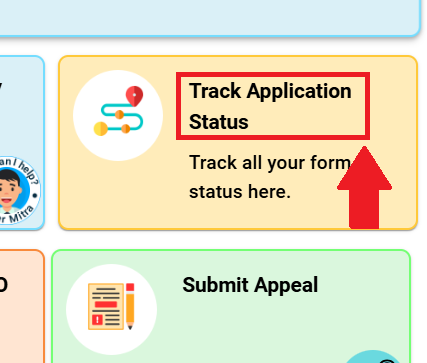
- Now enter your Application Reference Number (the code you received after submitting Form-6) and fill captcha code
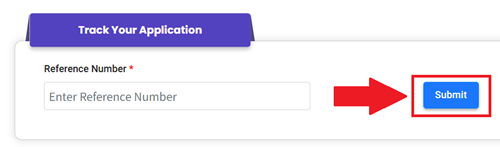
- And the last click on “Submit” button to check online voter status.
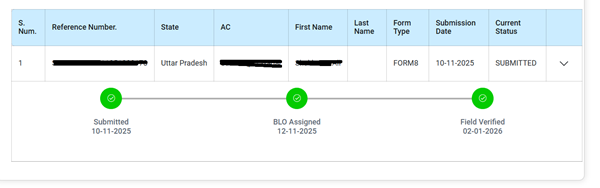
- your current status will appear on the screen (like “Under Verification”, “Approved”, or “Field verified”
How to Search Your Name in Voter List 2026?
- Open your browser and visit https://electoralsearch.eci.gov.in/ Choose how to search:
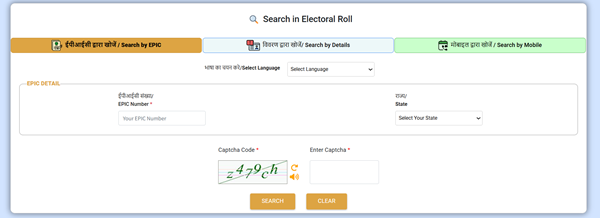
- Click “Search by Details” (विवरण द्वारा खोजें) – best for searching by name.
- Or use “Search by EPIC” if you have your Voter ID number.
- Or “Search by Mobile“ if your mobile is linked.
Fill the details:
- For name search: Enter your full name, father’s/husband’s name, age (or date of birth), gender, state (select Uttar Pradesh), district, assembly constituency (if known), or just use pin code/area to narrow it down.
- Type the captcha code shown on screen.
- Click “Search”
- If your name is there, it will show your details like EPIC number, polling station address, booth number, and more.
Voter List Download By State Wise
| State Wise Voter List | State Wise Voter List |
|---|---|
| Andhra Pradesh (AP) | Manipur (MN) |
| Arunachal Pradesh (AR) | Meghalaya (ML) |
| Assam (AS) | Mizoram (MZ) |
| Bihar (BR) | Nagaland (NL) |
| Chhattisgarh (CG) | Odisha (OR) |
| Goa (GA) | Punjab (PB) |
| Gujarat (GJ) | Rajasthan (RJ) |
| Haryana (HR) | Sikkim (SK) |
| Himachal Pradesh (HP) | Tamil Nadu (TN) |
| Jharkhand (JH) | Telangana (TS) |
| Karnataka (KA) | Tripura (TR) |
| Kerala (KL) | Uttar Pradesh (UP) |
| Madhya Pradesh (MP) | Uttarakhand (UK) |
| Maharashtra (MH) | West Bengal (WB) |
Frequently Asked Questions (FAQs)
What is a Voter ID Card and why do I need it?
Voter ID (EPIC) is a free card with your photo and name from the Election Commission. You need it to vote in elections. It also works as proof of identity or address for many things like bank account or government schemes.
At what age can I apply for Voter ID?
You can apply when you are 18 years old or will turn 18 on or before the next election qualifying date.
How long does it take to get Voter ID after applying?
Usually 15 to 60 days. After you apply online, a Booth Level Officer (BLO) visits your home to check. If everything is okay, your Voter ID is made and sent to you or you can download it online.
What if my name is not in the voter list even after getting Voter ID?
Sometimes names get missed during updates. Check your name on electoralsearch.eci.gov.in using your name or EPIC number.
About Us
At votersecilist.com we provide information related Voter Id, EPIC (Elector Photo Identity Card).
Quick Links
2002 Voter List for SIR
2003 Voter List for SIR
Disclaimer: votersecilist.com is not an official website. This site is only for Informational Purpose